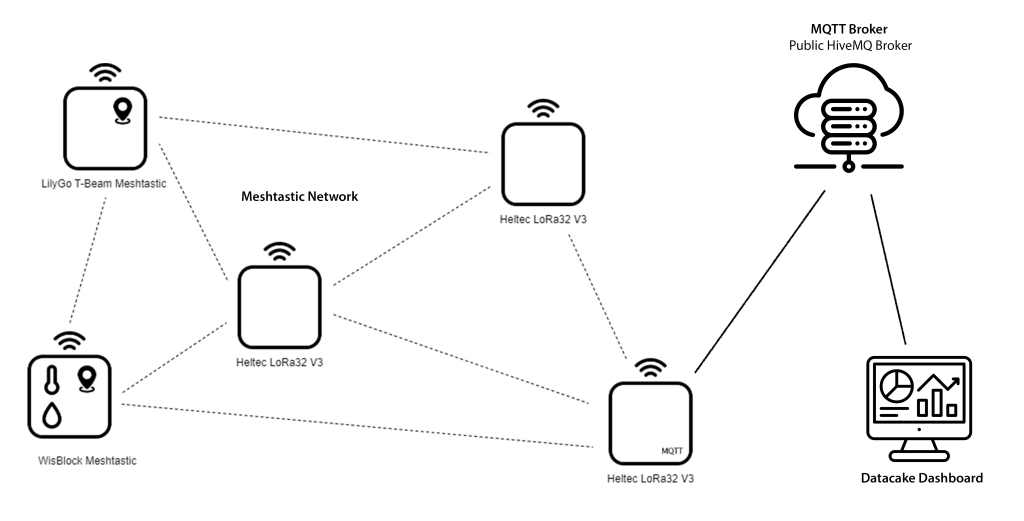
In the Meshtastic network, a router can send data via MQTT to any MQTT broker on the Internet.
This makes it possible to have data from one or more Meshtastic devices processed or visualized by an external instance.
My Meshtastic network has differently equipped Meshtastic devices. The WisBlock Meshtastic Device is equipped with a RAK1901 sensor for measuring temperature and humidity and a RAK12500 GNSS GPS Location Module u-blox ZOE-M8Q, whose measured values are to be visualized with a Datacake dashboard.
Im Meshtastic Netzwerk kann ein Router Daten über MQTT an jeden beliebigen MQTT Broker im Internet senden.
Dadurch besteht die Möglichkeit, Daten eines oder mehrerer Meshtastic Devices durch eine externe Instanz bearbeiten oder visualisieren zu lassen.
Mein Meshtastic Netzwerk weist unterschiedlich ausgestattete Meshtastic Devices auf. Das WisBlock Meshtastic Device ist mit einem RAK1901 Sensor zur Messung von Temperatur und Luftfeuchtigkeit und einem RAK12500 GNSS GPS Location Module u-blox ZOE-M8Q ausgestattet, deren Messwerte mit einem Datacake Dashboard visualisiert werden sollen.
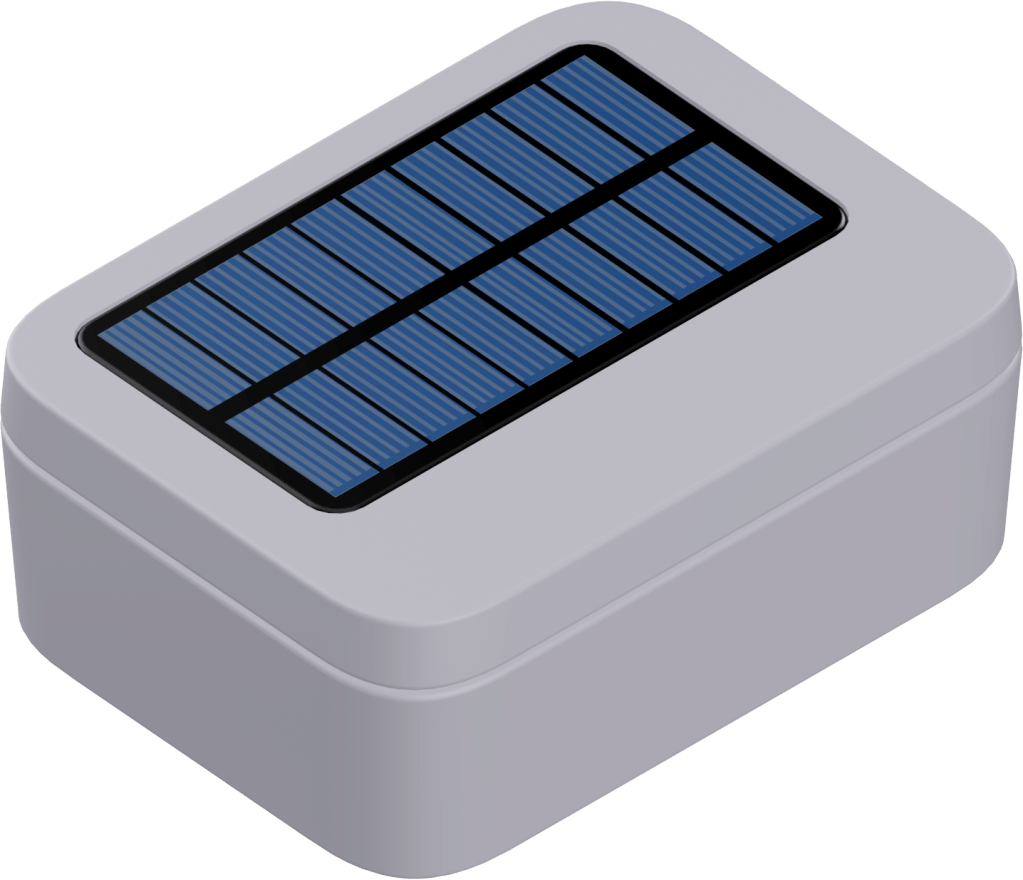
The WisBlock Meshtastic Device is installed in an outdoor enclosure with a solar cell.
The test is intended to show whether the buffering provided by the solar cell is sufficient
Das WisBlock Meshtastic Device ist in einem Outdoor Gehäuse mit Solarzelle untergebracht.
Der Test soll zeigen, ob die Pufferung durch die Solarzelle ausreichend ist
A Heltec LoRa32 V3 device is configured as a router and the MQTT module sends messages to an MQTT router.
Of the messages sent, only the telemetry and position messages of the WisBlock Meshtastic device are here of interest. The device has the ID 2692927950.
The following JSON fragments show the payload to be decoded.
Ein Heltec LoRa32 V3 Device ist als Router konfiguriert und das MQTT Modul sendet Messages an einen MQTT Router.
Von den versendeten Messages sind hier nur die Telemetry und Position Messages des WisBlock Meshtastic Devices von Interesse. Das Device weißt die ID 2692927950 auf.
Die folgenden JSON-Fragmente zeigen die zu decodierende Payload.
{
  "channel": 0,
  "from": 2692927950,
  "id": 647220954,
  "payload": {
    "air_util_tx": 0.0718611106276512,
    "battery_level": 59,
    "channel_utilization": 11.1266660690308,
    "voltage": 3.8199999332428
  },
  "rssi": -123,
  "sender": "!fa66367c",
  "snr": -10,
  "timestamp": 1707662825,
  "to": 4294967295,
  "type": "telemetry"
}
{
  "channel": 0,
  "from": 2692927950,
  "id": 198387353,
  "payload": {
    "barometric_pressure": 0,
    "current": 0,
    "gas_resistance": 0,
    "relative_humidity": 77.9700012207031,
    "temperature": 6.55000019073486,
    "voltage": 0
  },
  "rssi": -108,
  "sender": "!fa66367c",
  "snr": 4,
  "timestamp": 1707671407,
  "to": 4294967295,
  "type": "telemetry"
}
{
  "channel": 0,
  "from": 2692927950,
  "id": 1607030652,
  "payload": {
    "PDOP": 769,
    "ground_speed": 24,
    "ground_track": 20434000,
    "latitude_i": 471919845,
    "longitude_i": 88149573,
    "sats_in_view": 3,
    "time": 1707662920,
    "timestamp": 1707662805
  },
  "rssi": -123,
  "sender": "!fa66367c",
  "snr": -10,
  "timestamp": 1707662922,
  "to": 2692927950,
  "type": "position"
}
After Datacake is connected to the MQTT broker, the received payload can be decoded using JavaScript.
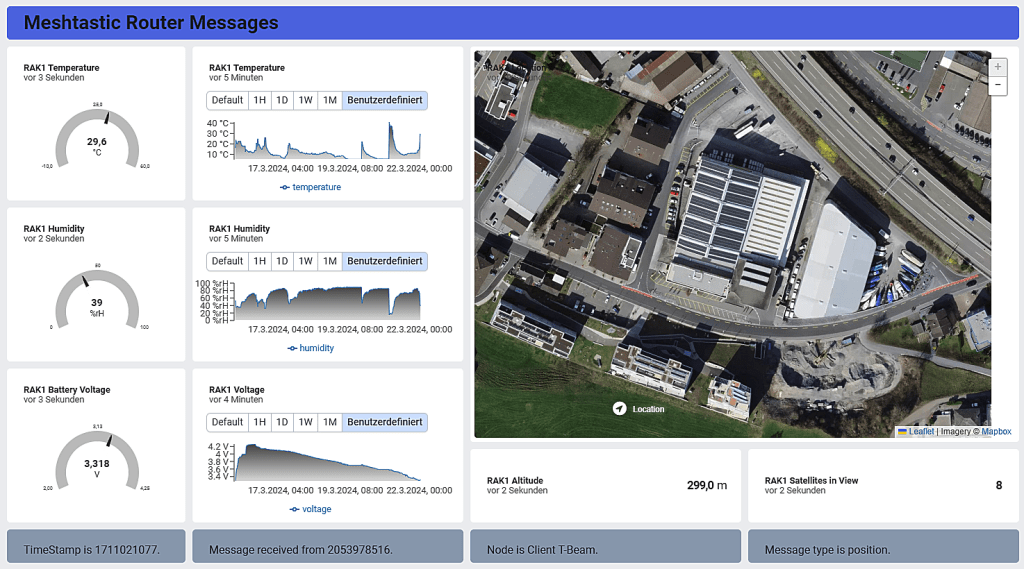
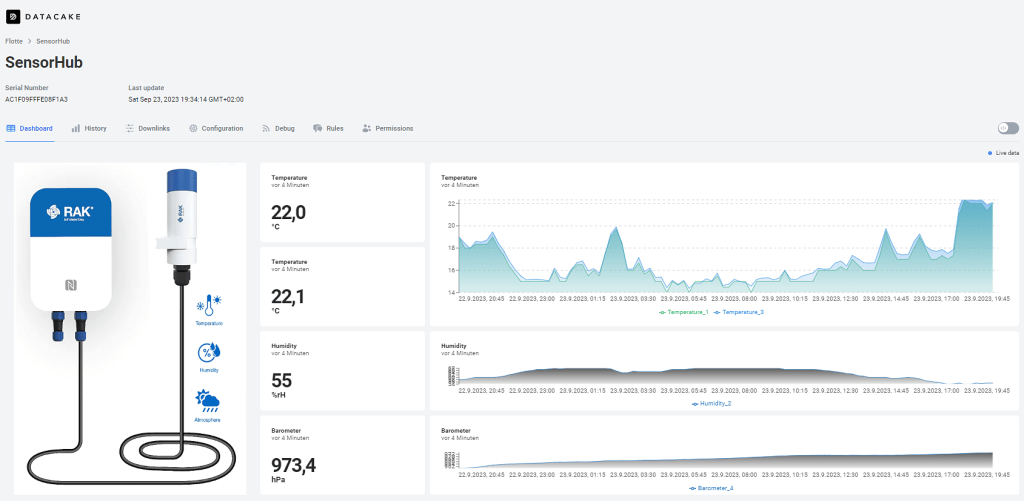
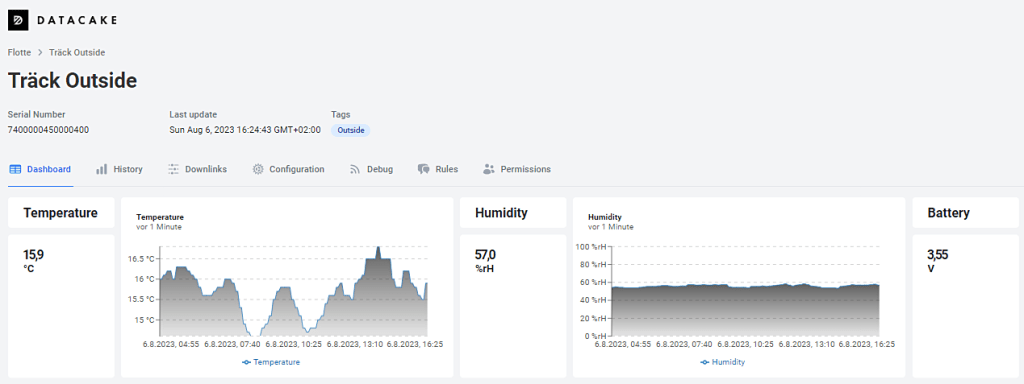
The Datacake dashboard can then be set up for the desktop according to the following image.
Nach Verbindung von Datacake mit dem MQTT Broker kann die Decodierung der empfangenen Payload mit Hilfe von JavaScript vorgenommen werden.
Das Datacake Dashboard kann dann gemäss folgendem Bild für den Desktop eingerichtet werden.
But Datacake also allows you to create dashboards for mobile devices, as the following image shows
Datacake ermöglicht aber auch das Erstellen von Dashboards für Mobilgeräte, wie das folgende Bild zeigt.

2024-03-21/CK











 ck blog